

Forecasts
Tesco sends a forward forecast of the cases it expects to order for each of your SKUs, depot by depot. Pivot shows it two ways: as a flat table you can filter and sort, and as a tree you can expand. Use it to plan production and stock ahead of Tesco’s orders, and to see where demand is heading.
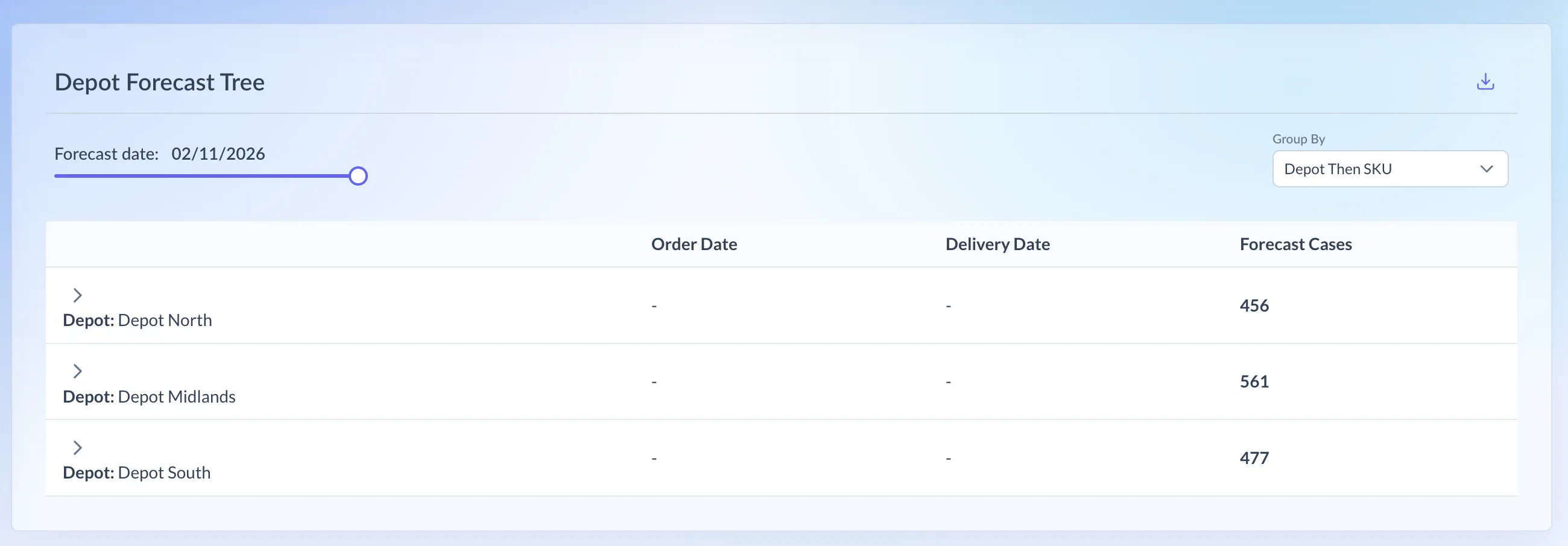
Shown on demo data.
What it shows
Section titled “What it shows”Each row is one depot, SKU, order date and delivery date, with the Forecast Cases Tesco expects to order.
The forecast is a snapshot. Each day’s download is Tesco’s view on that day, and Pivot keeps the last 30 days of them. The Forecast date slider picks which day’s forecast you’re looking at, starting on the latest. Older snapshots can’t be recovered, because Tesco only serves the current one.
You only see your own SKUs.
Which retailers have it
Section titled “Which retailers have it”- Tesco: Depot Forecast Flat and Depot Forecast Tree, for the UK only. Tesco ROI has no forecast.
- Morrisons: a different page, SKU Order Forecast. It compares Morrisons’ latest forecast with the one before, per SKU and order date, with a Variance column showing how much it moved.
The other retailers don’t send Pivot a forecast.
Using the page
Section titled “Using the page”- In the menu, open Tesco and choose Depot Forecast Flat or Depot Forecast Tree.
- Drag the Forecast date slider to the day you want. It starts on the latest.
- On Depot Forecast Flat:
- Sort by any column.
- Use the filter on Depot Name or SKU Name to pick particular depots or SKUs.
- Type in Search keyword to find a depot or SKU, and press Clear to reset.
- On Depot Forecast Tree, choose Group By: Depot Then SKU (the default) or SKU Then Depot. Expand a row to see the next level, and then each order and delivery date.
- Download on either page saves a CSV of the forecast for the chosen date.
If you see “No forecast dates available”, Tesco hasn’t sent a forecast for your SKUs. “No forecast data available” means the date you picked is empty.
Reading the numbers
Section titled “Reading the numbers”- On the tree, each depot or SKU row shows the total forecast cases for everything beneath it.
- Forecasts are in cases. Sales pages are in units, so multiply by the case size before comparing.
- The dates are depot dates. Tesco forecasts when it will order and when stock arrives at its depots. Sales happen in store later, after the time it takes to get from depot to shelf.
- A forecast isn’t a sale. It’s Tesco’s plan, so it never feeds the sales pages.