

Outstanding Sales Order
Outstanding Sales Order lists the orders WFL has taken for your products but not yet shipped and invoiced, one row per product on each order. Use it to see what’s due for delivery and what it’s worth.
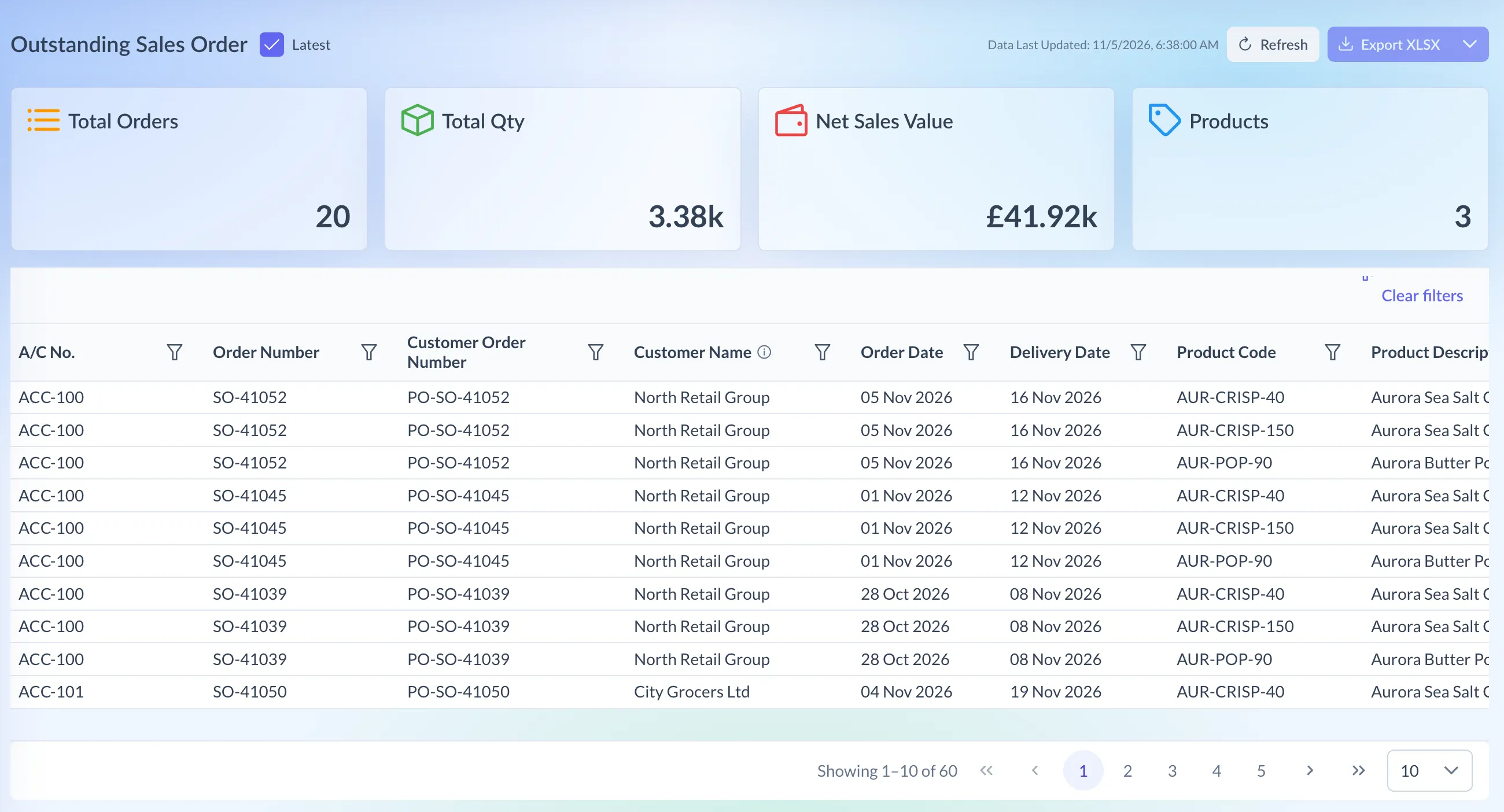
Shown on demo data.
What it shows
Section titled “What it shows”Each time WFL uploads its open orders, Pivot keeps a snapshot: the order book at that moment. The page opens on the newest. An order shipped since then stays listed until the next upload, and a new one appears only once uploaded.
- The cards: Total Orders, Total Qty, Net Sales Value and Products (different products on order).
- The table: A/C No., Order Number, Customer Order Number (the customer’s own reference, where WFL has it), Customer Name, Order Date, Delivery Date, Product Code, Product Description, Qty, Currency, Net Sales Value and Client, which is your brand.
- Totals under the table, for Qty and Net Sales Value.
Open orders aren’t sales yet, so the other WFL Sales pages don’t include them.
Using the page
Section titled “Using the page”- Click WFL Sales at the top of Pivot, then choose Outstanding Sales Order under Reports.
- To narrow the list, open the filter menu on a column heading, make your choice and click Apply:
- text columns let you search and tick one or more values
- Order Date and Delivery Date take Date is, Date is before or Date is after, each including the day itself
- Qty and Net Sales Value take greater than or equal to (the default), less than or equal to, or equals
- Clear filters removes them all.
The list is newest order date first. Show 10, 25, 50 or 100 rows a page.
Pick an earlier snapshot
Section titled “Pick an earlier snapshot”- Untick Latest, next to the page title. A dropdown appears.
- Pick an earlier snapshot. They’re listed by upload date, grouped into weeks ending on a Friday. Two uploads on one day also show the time.
- The top of the page now says Snapshot with the upload time, instead of Data Last Updated.
- Tick Latest to go back to the newest.
A snapshot shows the order book as it was, on its own, with no comparison to the latest. Snapshots are kept for 45 days, and the newest is always kept.
Reading the numbers
Section titled “Reading the numbers”- The cards and totals follow your filters. With a filter on, the footer shows Filtered totals above Complete totals.
- Currencies are never added together. The Currency column shows each line’s currency, and the Net Sales Value card and totals give one figure per currency. A snapshot from before currency was recorded shows Currency unknown, and its totals may mix currencies.
- Qty is the quantity on the open order line.
- Customer Name is the name used most often for that account. Hover the ⓘ icon for more.
Downloading
Section titled “Downloading”Export XLSX, at the top right, downloads the lines that match your filters in the snapshot you’re viewing. Choose All Data from its menu for every line in the snapshot. Customer names in the file are as written on each order.